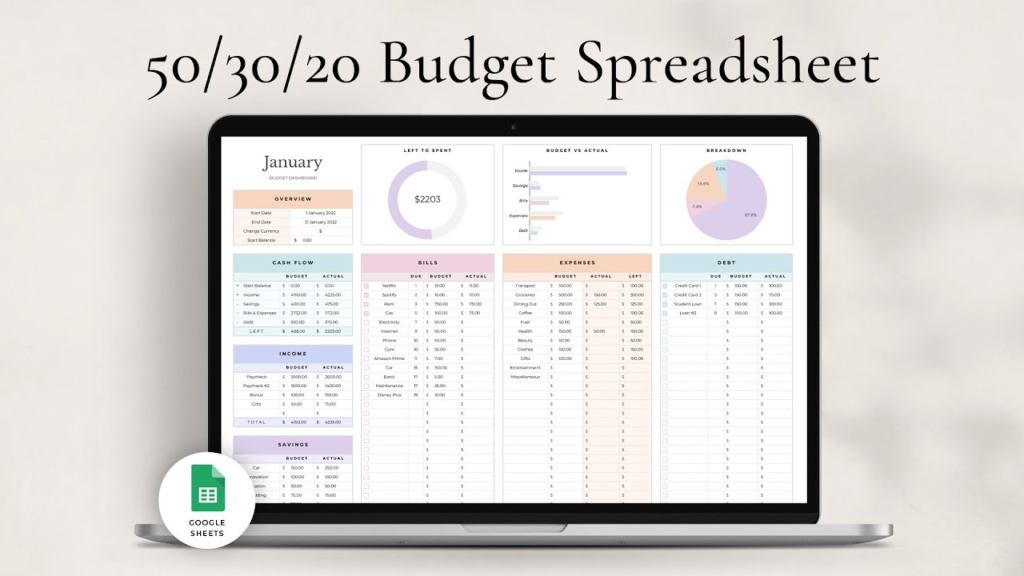
Free Template — Copy to Your Google Drive
Contact: contact@moneyunder25.com
Click File → Make a Copy to save it to your own Google Drive.
The template is pre-built with formulas — just enter your income and expenses.
Works for any income level. Pre-built for $2,500, $3,500, and $5,000/month take-home.
No sign-up, no email required. 100% free.
The 50/30/20 rule is one of the simplest budgeting frameworks available: 50% of take-home pay goes to needs, 30% to wants, and 20% to savings and debt payoff. A Google Sheet makes it automatic — enter your income and expenses, and the formulas do the categorization and math.
This guide includes a free, pre-built template you can copy to your own Google Drive and start using today. It also covers how to adapt the 50/30/20 rule for lower incomes where 50% for needs is impossible and 20% for savings feels out of reach. For a full explanation of the rule itself, see 50/30/20 rule explained.
What’s in the Free Template
The MoneyUnder25 50/30/20 budget Google Sheet includes:
| Sheet tab | What it does |
| Monthly Budget | Main tab. Enter your monthly take-home income. All category totals and percentages calculate automatically. |
| Needs (50%) | Pre-filled expense rows: rent, utilities, groceries, transportation, insurance, minimum debt payments. Add or delete rows as needed. |
| Wants (30%) | Dining out, entertainment, subscriptions, shopping, personal care, hobbies. |
| Savings & Debt (20%) | Emergency fund, Roth IRA, extra debt payments, general savings. |
| Annual Overview | Tracks your totals across 12 months. Shows year-to-date savings and category trends. |
| 3 Income Scenarios | Pre-filled examples for $2,500, $3,500, and $5,000 monthly take-home. Shows what each category looks like at each income level. |
How to Use the Template — Step by Step
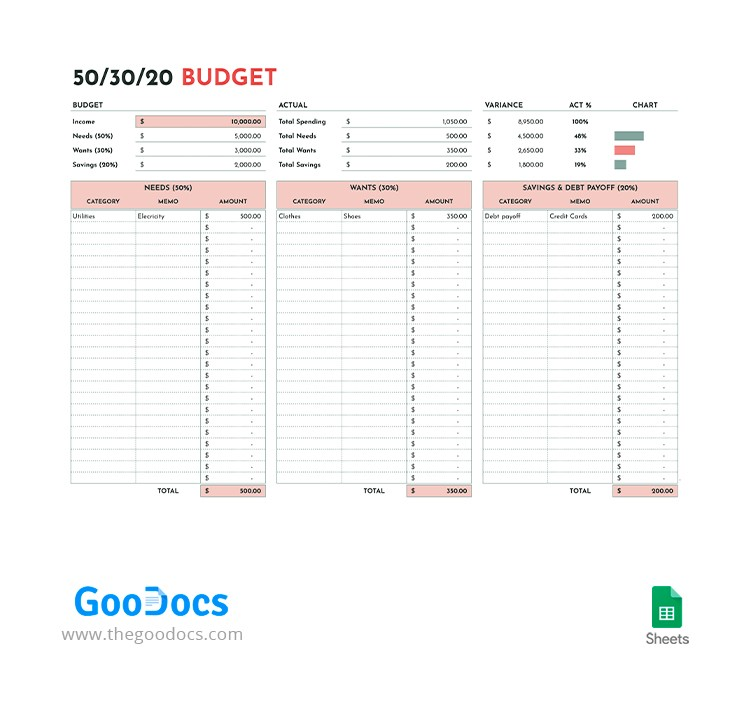
Step 1: Copy the Sheet to Your Google Drive
Click the template link above. Go to File → Make a Copy. Save it to your Google Drive. You now have your own editable version — the original stays unchanged.
Step 2: Enter Your Monthly Take-Home Income
In cell B2 on the Monthly Budget tab, enter your monthly take-home pay (after tax). The sheet automatically calculates your 50/30/20 targets:
- 50% target = your needs budget
- 30% target = your wants budget
- 20% target = your savings/debt budget
Step 3: Enter Your Fixed Expenses
In the Needs section, enter your fixed monthly costs: rent, utilities, phone bill, car payment, insurance, minimum loan payments. These don’t change month to month — enter them once.
Step 4: Track Variable Spending Weekly
Update the Wants section each week as you spend on dining out, entertainment, and other variable categories. The sheet shows your running total versus your 30% target in real time.
Step 5: Log Savings Transfers
Each time you transfer money to savings or make an extra debt payment, log it in the Savings & Debt section. This makes your 20% progress visible. See save $500 a month for the autopay setup that makes this automatic — the transfer happens on payday and you log it once.
The 50/30/20 Rule — What Goes in Each Category
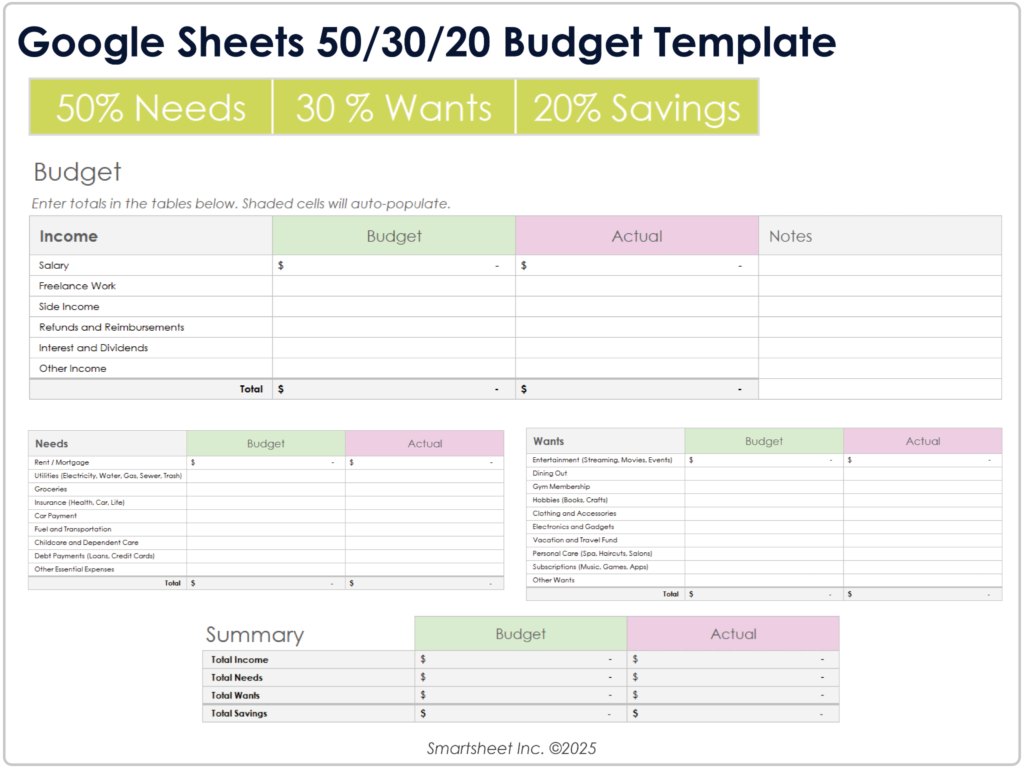
According to the Consumer Financial Protection Bureau, the 50/30/20 rule is one of the most widely recommended budgeting frameworks for people starting out. Here’s what each category actually includes:
50% — Needs (Non-Negotiable Fixed Costs)
Needs are expenses you must pay regardless of anything else. Missing these has immediate consequences:
| Expense | Typical monthly | Notes |
| Rent or mortgage | $700-1,800 | Largest need for most people. Target under 30% of gross income. |
| Utilities (electric, gas, water) | $80-200 | Varies seasonally. Budget a monthly average. |
| Groceries | $200-350 | Home cooking only. Dining out goes in Wants. |
| Transportation (car or transit) | $100-500 | Car payment + gas + insurance, or transit pass. |
| Phone | $25-70 | Budget carrier saves $30-50/month. |
| Internet | $40-70 | Required for most work and daily life. |
| Minimum debt payments | Varies | Minimums only go here. Extra payments go in 20%. |
| Health insurance | $0-200 | If not covered by employer. |
30% — Wants (Discretionary Spending)
Wants are things you spend on by choice. Life is better with them, but you can reduce or eliminate them when needed:
- Dining out and food delivery
- Entertainment — streaming, concerts, events
- Shopping — clothing, home decor, electronics beyond needs
- Coffee shops and cafes
- Gym membership (if not medically necessary)
- Travel and vacations
- Hobbies and personal interests
The most common budgeting mistake: putting food delivery and dining out in the Needs category. These are Wants — you need food, but you don’t need DoorDash. Moving these to Wants immediately makes the 30% limit feel real.
20% — Savings and Debt Payoff
The 20% category is where financial progress happens. According to the Federal Reserve, consistent saving and debt reduction are the primary drivers of financial security. This category includes:
- Emergency fund: emergency fund first — 3-6 months of expenses
- Extra debt payments: anything above minimums on high-interest debt
- Retirement contributions: 401k beyond employer match, Roth IRA
- General savings: specific goals — car, move, vacation
The Template in Action — Three Income Examples
Example 1: $2,500/Month Take-Home (~$35,000 salary)
| Category | Budget (50/30/20) | Real-life breakdown |
| Needs (50%) = $1,250 | $1,250 | Rent $800 + utilities $100 + groceries $200 + phone $30 + internet $50 + transit $70 = $1,250 |
| Wants (30%) = $750 | $750 | Dining out $100 + one streaming service $15 + personal care $50 + clothing $50 + entertainment $50 + misc $485 = $750 |
| Savings (20%) = $500 | $500 | Emergency fund $300 + extra student loan payment $200 = $500 |
At $2,500/month take-home, $1,250 for needs requires low rent (roommate or smaller city). Needs above $1,250 mean 50% is impossible — see the modified rule below.
Example 2: $3,500/Month Take-Home (~$48,000 salary)
| Category | Budget | Breakdown |
| Needs (50%) = $1,750 | $1,750 | Rent $1,100 + utilities $120 + groceries $250 + car $300 + phone $50 + internet $60 = $1,880 — slightly over, adjust car or rent |
| Wants (30%) = $1,050 | $1,050 | Dining out $150 + streaming $40 + gym $30 + clothing $100 + entertainment $100 + personal care $80 + misc $550 = $1,050 |
| Savings (20%) = $700 | $700 | Emergency fund $300 + Roth IRA $300 + extra debt $100 = $700 |
Example 3: $5,000/Month Take-Home (~$70,000 salary)
| Category | Budget | Breakdown |
| Needs (50%) = $2,500 | $2,500 | Rent $1,400 + utilities $150 + groceries $300 + car $400 + phone $60 + internet $65 + health $125 = $2,500 |
| Wants (30%) = $1,500 | $1,500 | Dining out $300 + streaming $60 + gym $50 + clothing $150 + entertainment $200 + travel $400 + misc $340 = $1,500 |
| Savings (20%) = $1,000 | $1,000 | Roth IRA $583 ($7,000/yr) + emergency fund $200 + extra savings $217 = $1,000 |
When 50/30/20 Doesn’t Work — The Modified Version
The 50/30/20 rule was designed for median incomes. For lower incomes or high-cost cities, 50% for needs is often impossible. Here’s how to adapt it:
| Problem | Modified ratio | How to make it work |
| Rent alone is 40%+ of income | 60/20/20 | Needs get more. Slash Wants to 20%. Keep savings at 20% — don’t sacrifice this. |
| Low income — needs eat everything | 70/10/20 | Wants drop to 10%. Even $100-200/month in savings compounds over time. |
| Aggressive debt payoff mode | 50/10/40 | Slash Wants to 10% temporarily. Put 40% at debt until it’s cleared. |
| Standard income, normal city | 50/30/20 | The rule as designed. Works well. |
The 20% savings target is the one number to protect regardless of what ratio you use. According to the Bureau of Labor Statistics, Americans who consistently save 15-20% of income accumulate financial security substantially faster than those who save inconsistently. The percentage can flex, but the habit shouldn’t stop.
Tips for Using the Budget Sheet Effectively
- Update it weekly, not daily. Daily updates feel like a chore. Once a week — every Sunday or Monday morning — takes 10 minutes and keeps you aware of where you are without the stress of real-time tracking.
- Set up autopay first, then track. The sheet tracks what’s happening. But the 20% savings only happens reliably if you automate the transfer on payday. Log it on the sheet after the fact.
- Use the annual tab quarterly. Check your year-to-date totals once per quarter. This is where you see whether you’re actually on track — monthly snapshots can be misleading.
- Don’t delete the formulas. The yellow cells are formula cells — they calculate automatically. Only enter data in white cells. If you accidentally break a formula, delete your copy and make a fresh copy from the original template link.
- Adjust categories to match your life. The template has standard categories — add rows for expenses specific to your situation (pet costs, musical instrument lessons, etc.). The percentages recalculate automatically.
FAQs
How do I create a 50/30/20 budget in Google Sheets?
Use the free MoneyUnder25 template above — it’s pre-built with all the formulas. Just copy it to your Google Drive, enter your take-home income in the income cell, and fill in your expenses. If you want to build your own from scratch: create three sections (Needs, Wants, Savings), enter a formula that divides your income by 2 for Needs, by 3.33 for Wants, and by 5 for Savings. Then list your actual expenses under each category and sum them. Compare totals to targets. See how to make a budget for the full step-by-step budgeting process.
Is the 50/30/20 rule realistic on a low income?
Not always — and that’s okay. On incomes under $35,000, rent alone often exceeds 40% of take-home pay in most cities, making 50% for all needs mathematically impossible. The solution: modify the ratio. Needs get more (60-70%), Wants get squeezed (10-15%), and Savings stays at 20% if at all possible. According to the CFPB, any consistent savings rate — even 10% — produces meaningful long-term results. The key is maintaining the savings habit, not hitting the exact 20% number.
What is the difference between needs and wants in a 50/30/20 budget?
Needs are expenses where not paying has immediate, serious consequences: eviction, loss of transportation, utilities shutoff, going without food. Wants are expenses that improve quality of life but can be reduced or eliminated without immediate harm: dining out, streaming services, shopping, entertainment. The most common confusion: groceries are a need, but DoorDash is a want. A phone plan is a need, but a premium plan is a want. A car needed for work is a need, but a luxury vehicle when a used one would do is partially a want.
How often should I update my budget spreadsheet?
Weekly is the most effective rhythm for most people. More frequent than weekly creates tracking fatigue. Less frequent than weekly means you lose visibility of overspending before it becomes a problem. A good routine: every Sunday, spend 10 minutes logging the week’s transactions and checking where you are against your monthly targets. Monthly summary review on the first of each month.
Can I use the 50/30/20 rule with irregular income?
Yes, with adjustments. For irregular income (freelance, gig work, commission): use your lowest typical monthly income as the baseline for your fixed budget. In higher-income months, direct the extra toward savings or debt — don’t expand Wants spending proportionally. Another approach: average your last 3-6 months of income and budget to that average. The 20% savings target is especially important with variable income because it builds the buffer that covers lower-income months. See save $500 a month for how to automate savings with variable income.
The Bottom Line
The 50/30/20 rule works best when it’s automated. Copy the free template to your Google Drive. Enter your income. Set up autopay for the 20% savings on payday. Then track your Needs and Wants weekly to stay within the other 80%.
The template handles the math. The discipline is just updating it once a week and not spending more than the sheet says is available.
For the complete budgeting process from scratch, how to make a budget covers every step. And for building a realistic budget when you’re living alone, budgeting for living alone has real-life numbers for three income levels. For how the 50/30/20 rule works as a concept, 50/30/20 rule explained explains the reasoning behind each percentage. And for what to do with the 20% savings once you have it, emergency fund covers the first priority.
Sources
1. Consumer Financial Protection Bureau — budgeting guidance
2. Bureau of Labor Statistics — Consumer Expenditure Survey